
Forty. That's roughly how many early clients had their full names and home office addresses sitting, unencrypted, on a mechanical external drive I found wedged in a desk drawer, alongside two others just like it. None of the three had been touched in years, and all three still powered on without complaint (which somehow made it worse). All three still held client spreadsheets, tax forms, and login lists — the kind of client confidentiality problem that has nothing to do with data brokers and everything to do with a piece of hardware I'd simply forgotten existed.
Affiliate links show up in this piece — if you sign up for one of the privacy tools I mention through them, I earn a small commission at no extra cost to you. I've paid for and tested every service I recommend; I'm not a security professional, just a consultant who got spooked enough by his own Google results to start paying attention. Full disclosure: I use the Proton bundle and pay for DeleteMe to manage the data-broker side of things, but three drives in a desk drawer turned out to be a completely different problem, one no software subscription touches.
Hardware Security Isn't Just a Data-Broker Problem
A reader named Devin Kwon emailed after one of my DeleteMe write-ups with a version of the same question — if the whole point of this site is getting your information off other people's servers, why does it matter what's sitting on your own hard drive? It's a fair question, and it's the kind of follow-up from Devin that's ended up reshaping more than one article since. The answer is that a broker listing and an old external drive are the same risk in different clothes: real information about real people, sitting somewhere it can be found by someone who has no business finding it. Lose a drive like the one in my drawer, donate it, or toss it in the trash, and those forty client files could end up anywhere a stray file goes when nobody's watching — including, eventually, on the dark web, the same place I go looking when I want to know if something worse has already happened.
Long before any of that, I spent a weekend manually filling out opt-out forms on Whitepages, Spokeo, and BeenVerified one at a time — tedious, and it taught me the real list of people-search sites runs well past the three or four names most people can name off the top of their head. Whether that kind of manual slog beats paying a service to do it for you is a trade-off I've weighed in more depth elsewhere; the short version is neither approach touches a single byte sitting on a drive in a desk drawer.
Why a Quick Format Doesn't Actually Delete Anything
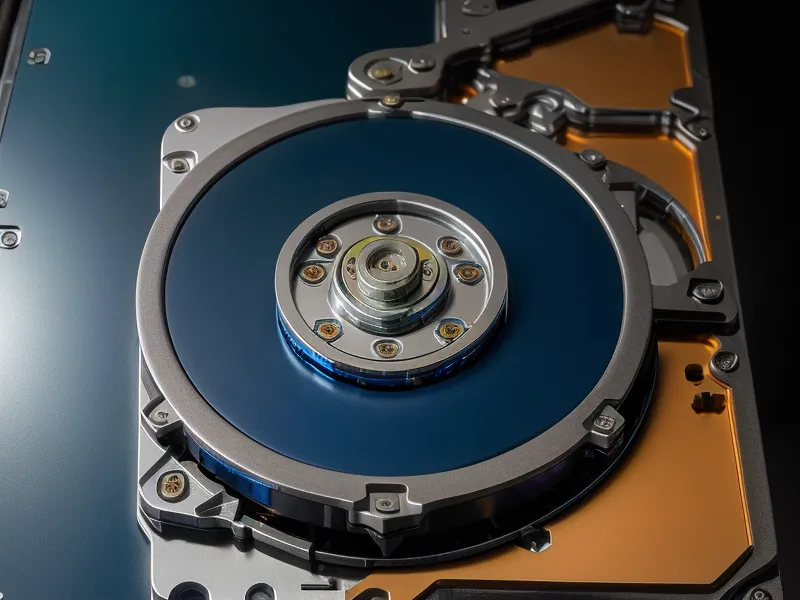
Deleting a file, or running a standard format on a drive, looks like it works. The icon disappears, the folder empties, the drive reports itself as blank. None of that means the data is gone; a quick format is closer to tearing the table of contents out of a book: the chapters are still printed on the pages, you've just lost the map to find them. I ran a basic recovery tool on a drive I'd already "erased" this way and pulled up an entire client's folder structure, untouched, going back years. Standard file system formatting only clears the directory pointers; the actual bits remain on the platters until something else overwrites them. For anyone holding client tax forms or login spreadsheets, that gap between looks-empty and is-actually-gone is the whole ballgame, which is why real data sanitization means overwriting every sector, not just hiding the index.
The DoD Standard BitWiper Uses, and Why 3 Passes Is Enough
EaseUS BitWiper became my tool of choice because it handles a full disk wipe without adding another subscription to the pile. Unlike Incogni or DeleteMe, which fight an ongoing, recurring battle against data brokers, a disk wiper is a one-and-done job (run it once, and the sectors are gone; no recurring anything to remember). Mechanical drives get the DoD 5220.22-M standard from me, the same one the U.S. Department of Defense specifies for sanitizing non-classified data: three overwrite passes, first zeroes, then ones, then a random character. A full pass on a 1TB drive takes hours; overwriting every bit three times isn't fast, but it's thorough, and BitWiper's Gutmann option (35 passes) sits there for anyone who wants more assurance than any realistic threat model actually calls for. Three passes is the right trade for most consultants, between real security and not babysitting a progress bar past midnight.
My friend Rodrigo, a UX designer who can't resist critiquing the interface on every opt-out form I've ever shown him, called that progress bar the most honest piece of software he'd seen all year when I described it over coffee on South Congress Avenue (no fake percentage jumps, no vague "processing" spinner, just a real count of sectors overwritten). He wanted to know why more of the tools I recommend don't work that way. I don't have a good answer for him yet.
I've also compared notes in Best Software to Wipe Client Data From Old Work Laptops, and BitWiper keeps coming out ahead there for the same reason: it doesn't try to be a full security suite, it just overwrites data and gets out of the way. The one real limitation is that it's Windows-only, so Mac-only consultants are stuck borrowing someone else's PC for an afternoon.
Why Don't SSDs Erase Like Old Mechanical Drives?
Solid-state drives change the rules, and this is where a lot of marketing copy quietly stops being honest. SSDs spread data across memory cells in a way designed to wear the drive evenly over time, which means a software command to overwrite one sector can end up writing to a completely different cell and just remapping the address, leaving the original data sitting untouched, at least for a while.

BitWiper can trigger the drive's own Secure Erase command for exactly this situation, and the full mechanics of how that command actually works deserve more space than I can give it here. What matters practically is this: if you're not confident a software wipe reached every reassigned cell, physical destruction is the only method I trust completely: a drill through the controller chips, done once, settles the question for good.
Should You Wipe It, or Destroy It?
My own rule is simple: mechanical drives get the DoD 3-pass wipe, full stop. I've never seen a reason to escalate further for client work that was never classified in the first place. SSDs get the Secure Erase command if the drive and controller are recent enough to trust; if the drive is old, the controller feels flaky, or I simply can't verify the wipe reached everything, it gets a drill through the chips instead of a second guess. That's the actual decision tree, and it's a lot less complicated than most disk-wiping software makes it sound.
Where Wiped Drives Actually Go
Wiped drives still need somewhere to go, and Austin has only one primary Household Hazardous Waste Facility for electronic recycling. You can't just leave these at the curb like a bag of cans. I labeled my three cleaned drives with blue painter's tape before dropping them at the Austin Resource Recovery site, mostly so I wouldn't second-guess myself and start re-wiping drives that were already done. My partner, watching me do this, asked with a raised eyebrow whether I was finally done being a "digital ghost" for the night. Fair question. Between the Yubikey on my keychain and my insistence on encrypted cloud storage, it can look like a lot from the outside, but it's a few extra minutes for the certainty that nobody pulls a client's tax form out of a donated laptop.
Closing the Loop on Client Data
Old hardware needs wiping too, and it's the physical half of the same work I do with DeleteMe or RoboForm: closing exits, not just watching the front door. RoboForm paired with a hardware key is its own security model, worth understanding on its own terms and unrelated to anything sitting on a hard drive, and a VPN only protects the connection between a laptop and a website; it was never going to reach data already sitting on a broker's server, or on an old drive, so don't expect one to do a wiper's job.
None of this touches the separate, frustrating pattern of an address that's already been removed once quietly reappearing on the same broker site months later, and working out which paid service actually clears more of those relistings is a comparison that deserves its own full write-up rather than a footnote here. What a breach notice means for your actual logins is a different checklist entirely, and it has nothing to do with wiping a drive.
Two years into paying real attention to this, opening the Incogni dashboard and watching the tally of finished removals finally pull ahead of the ones still pending has started to feel like the same relief as watching three wiped drives get boxed up for recycling (different problem, same sense of closure). If you've got old drives sitting in a closet or a desk drawer, don't leave them there: grab EaseUS BitWiper, set it to a 3-pass wipe, and let it run overnight. It's a small, one-time task, and it's the difference between a client's past staying finished and it turning into your problem months from now.