
Three drives are lined up on my desk, and the wipe utility running on the middle one has been crawling through its overwrite pass for the better part of an hour. This is what taking data privacy seriously actually looks like in practice, not some dramatic standoff with a hacker, just an unglamorous queue of old hardware that has to be handled right before any of it leaves the house for good.
None of these machines are exciting. One is a chunky old workhorse that used to run my invoicing software; the other laptop still has a sticky spacebar from a coffee spill I never fully cleaned up. But between them they're holding years of client contracts, tax paperwork, and enough scanned documents that "just recycle it" stopped feeling like an option once I understood what a proper hard-drive wipe actually requires for basic digital security, versus what dragging a folder to the trash bin pretends to accomplish.
Deleting a File Doesn't Actually Erase It
Formatting a drive or emptying the trash doesn't erase anything, not in the sense most people assume. It's closer to ripping the table of contents out of a book: the chapters are all still sitting there on the shelf, just harder to find without an index pointing to them. The actual content stays on the platter until something writes over it, which is the whole idea behind data sanitization — overwriting the physical space enough times that recovery software has nothing left to grab onto.
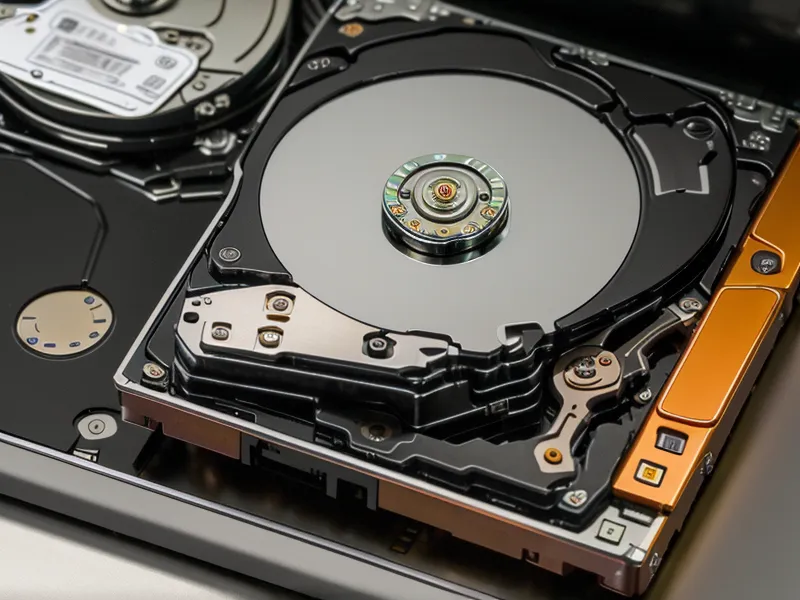
I assumed a factory reset was the digital equivalent of shredding a document, which is a comforting belief right up until you read a forum thread about someone pulling "deleted" tax records off a drive they bought secondhand.
Dedicated Software vs. Factory Resets for Hard-Drive Wiping
Short answer: no, a factory reset alone won't do it, and yes, you need something built for the job, but that doesn't mean wrestling with a command-line tool that looks like it wandered out of a decade-old hacker movie. That was my main worry going in. I don't write scripts for a living; I run digital marketing campaigns and occasionally argue with Google Ads about why a client's cost-per-click tripled overnight. Software aimed at regular people, not IT departments, was the whole requirement.
EaseUS BitWiper ended up being the tool I settled on, mostly because the interface didn't make me feel like one wrong click would brick the laptop I actually still use for work. It walks you through picking a drive and a wipe method, then gets out of the way, no terminal window, no cryptic flags, nothing that requires knowing what a hex value is.
The SSD Wrinkle Most Guides Skip
Here's the part most "how to wipe your drive" articles gloss over: one of my laptops had a solid-state drive, and a standard overwrite doesn't behave the same way on an SSD as it does on an old mechanical disk. SSDs spread data around behind the scenes and shuffle it between cells to even out wear — a quirk called wear leveling — so a tool claiming it just overwrote "this spot" doesn't necessarily mean the data that used to live there is actually gone.
Modern drives get around this with something called a Secure Erase command instead, which clears the drive at the firmware level rather than piece by piece — the mechanics of exactly how that works are really their own topic, but the short version is it sidesteps the wear-leveling problem entirely. On one of my drives, the first free wipe utility I tried simply refused to recognize the SSD at all and sat frozen on a loading screen for a good twenty minutes before I gave up and switched tools, which is the kind of snag the marketing pages never mention.

For anyone truly paranoid — handling a drive that held something more sensitive than my invoicing spreadsheets — physical destruction is still the only method with zero ambiguity attached to it. For the rest of us, a completed Secure Erase from a program that actually verifies its own work is enough. It's the difference between cancelling a subscription and getting the company to actually stop billing you afterward; one is a request, the other is confirmed to have happened.
Not Every Wipe Standard Deserves Equal Attention
Open the settings on any wipe tool and you'll hit a wall of acronyms: DoD-style multi-pass overwrites, the older Gutmann method, newer NIST-based guidance. Comparison articles love to turn this into a whole debate about pass counts, and I'm going to disappoint anyone hoping for that here, because the standard you pick matters far less than whether the software actually confirms the overwrite happened instead of just reporting success and moving on.
That's the question I'd actually ask before buying anything: does it verify, and does it produce some kind of report you can point to later if a recycler or a buyer asks what was done to the drive? A named standard on the box is mostly there to make the software look serious next to competitors on a shelf.
Picking Software That Doesn't Require a Computer Science Degree
My neighbor Jonah, a financial planner two streets over, never gave any of this a second thought until a client asked, almost offhand, what happened to old client files when he replaced his office computer. That question bothered him more than any privacy article ever could have, not because of some abstract principle, but because it touched the one thing he actually protects fiercely, which is his professional reputation with the people who pay him.
Point being, you don't need to be paranoid about digital security in the abstract to care about this. You need one specific reason the stakes are real to you — a client list, a decade of tax filings, a folder of scanned medical bills — and picking software becomes less about chasing the "best" option online and more about finding one that does the job without a learning curve you don't have time for.
What Wiping the Drive Actually Accomplishes for Privacy
No, and this is the part that surprised me most. Wiping your own hardware handles the data you physically possess, but it does nothing about the copies already sitting on people-search sites and broker databases your grandparents never signed up for. Those are a separate fight, and one where relisted information is the norm rather than the exception: brokers reposting details within weeks of a removal are common enough that treating any single opt-out as permanent is a mistake.
I still remember pulling up Spokeo one evening out of habit and finding the field that used to show my wife's maiden name simply blank, no history, no "previously known as," just gone. A record can disappear like that and still not mean the fight is over, because the same broker, or a dozen others buying from the same upstream source, can quietly repost it later. That's the gap that paid removal services and manual opt-out lists are both trying to close, and neither approach covers everything perfectly; a contact I made through a privacy subreddit, Seth Calder, still insists on doing every opt-out by hand, not because it's cheaper but because he doesn't trust a company to do something he can verify himself line by line.
None of this started with some elegant plan on my part, either. I asked my own web hosting provider to scrub some old cached pages that had my information on them, assuming that would be the end of it; I hadn't accounted for the fact that data brokers keep independent copies of whatever they scraped, so clearing a cached page upstream did roughly nothing to what was already sitting in a broker's own database. I was standing in the checkout line at Central Market on North Lamar when the support rep finally called back to say the request had been completed, cheerfully, as if that solved anything.
A VPN doesn't touch any of this either: it hides your traffic while you're using it, not information that brokers scraped years before you ever turned one on, so treating a VPN subscription as a cure-all for stuff like this misses what it's actually built to do. Securing your accounts after a breach notice is its own separate checklist, and password reuse is usually the bigger hole in that scenario than anything a broker site displays. I ran the full Proton bundle for a stretch too and eventually let the subscription lapse, solid tools but more than I needed once broker removals became the actual priority instead of an encrypted inbox I barely opened. The one habit from all of this that stuck was locking down my RoboForm with a Yubikey setup, since a wiped hard drive and a scrubbed broker listing don't mean much if a reused password hands someone access to everything else anyway.
If you want the longer version of how a paid option fits into that ongoing fight, I've covered is Incogni worth the money in more detail elsewhere on the site.
Handing three sanitized drives to a recycler doesn't erase every risk out there, but it closes one specific door for good; nobody is pulling my old tax returns out of a landfill or a secondhand laptop sale. That's a smaller win than solving the broker problem entirely, but it's the one piece of this whole mess that software can actually finish completely, instead of just managing.