
Late one rainy weekend last November, I Googled my own name and found my wife’s maiden name and our current home address staring back at me in plain text on a site I’d never heard of. It felt like walking into your house and realizing you’d left the front door wide open for months. As a digital marketing consultant, I’m used to data—but seeing my family’s tree mapped out back to my grandparents on three different people-search sites was enough to make me get serious about scrubbing our footprint.
Before we get into the weeds, a quick heads-up: this site uses affiliate links. If you sign up for a service through these links, I earn a commission at no extra cost to you. I’ve personally paid for and tested every service I’m about to mention, mostly because I didn't want my parents' home address being sold for two dollars to anyone with a credit card. You can read my full transparency policy here.
The Look on My Father’s Face: Why I Started This Audit
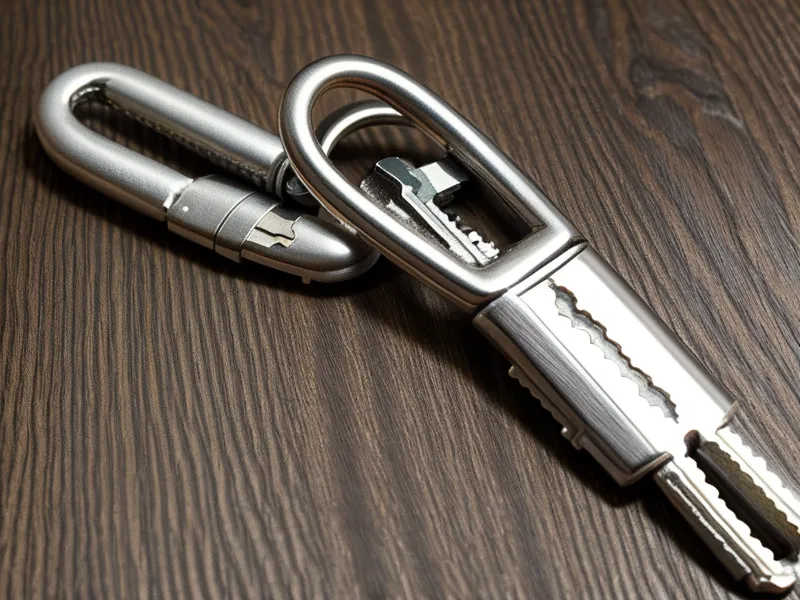
When I first started this journey in early 2024, my partner thought the Yubikey on my keychain was overkill. Then I showed her what was available for free. I eventually sat my parents down around the holidays and showed them a site that knew exactly what my father had paid for his house back in 1995. The look of genuine concern on his face was enough to convince me that they needed more than just a lecture on 'strong passwords.'
Data brokers aggregate info from marriage certificates, voter registration rolls, and public property records. It’s like a credit freeze you forget about—unless you actively manage it, the info just sits there, ripening for anyone to pick. I decided to use my marketing background to audit the best tools for a non-technical family, focusing on services that actually do the heavy lifting so my parents don't have to.
The Multi-User Test: Why DeleteMe Won for the Family
When you’re looking at a whole household, the math changes. I compared DeleteMe against Incogni’s individual approach. While I’ve used Incogni for myself, their lack of a dedicated family plan makes it a headache to manage for multiple people. DeleteMe, on the other hand, offers a family plan that covers up to 4 people. This was the 'set it and forget it' solution I needed for my parents and in-laws.
One thing to keep in mind: the DeleteMe initial removal cycle isn’t instant. It takes about 7-14 days for the first scans and opt-out submissions to actually hit the brokers. I remember the sharp, rhythmic metallic click of the Yubikey hitting my desk while I tried to explain to my wife why her maiden name appearing on these sites was a security risk—it’s not just about her; it’s the link it creates to our current home. If you want to see how these two stack up for a solo user, you can read my DeleteMe vs Incogni review from earlier this year.
Automated Convenience vs. The Manual Slog
There is a measurable tradeoff here that most marketing copy won't tell you. Automated services are great for recurring maintenance, but they often miss niche databases. I know this because I once spent six hours manually opting out of thirty sites. It was a miserable treadmill. By the following Tuesday, I found my address re-listed on five of them. This is why I recommend a service like DeleteMe for parents; they aren't going to spend their Tuesday nights fighting with a broker in Delaware over a CCPA request.
If you're curious about just how frustrating the DIY route is, I documented my months-long battle with manual data removal. For a family, the automation is worth the cost just to avoid the 're-listing' headache. Brokers are like that subscription you cancel but they keep billing anyway—they just keep coming back until a service like DeleteMe pings them every quarter to stay away.

Beyond Data Brokers: The Garage Laptop Problem
Early last spring, I realized that data removal isn't just about what's on the web. It's about the three old family laptops sitting in my parents' garage. Before they went to the recycling center, I used EaseUS BitWiper to ensure those drives were actually blank. Most people think 'formatting' a drive is enough, but it’s really just hiding the index. BitWiper actually shreds the data.
It’s a one-time purchase, which I appreciate because I’m already drowning in subscriptions. It handles full disk wipes and free space scrubbing, which gave me peace of mind before handing those machines over to a stranger. I wrote more about that process in my experience using EaseUS BitWiper after a privacy scare.
The 'Privacy Stack' for the Non-Technical
To round out the family protection, I set them up with RoboForm. Their family plan supports up to 5 users, and the form-fill engine is still the best I’ve tested for those messy checkout flows my mom always struggles with. It’s cheaper than the big-name competitors and does the job without a flashy, confusing UI.
I also moved my own operations to the Proton bundle. It includes 4 core services: Mail, VPN, Drive, and Calendar. I’ll be honest—staring at the Proton migration screen and wondering if I actually had the patience to update 200 different login emails was a low point. But knowing that Swiss privacy laws offer stronger protection than US-based providers made it feel necessary. If you’re considering the jump, you might want to read why I finally quit Gmail for Proton before you start.
Final Reflection: Making the Front Door Harder to Find
Late last month, I checked the quarterly removal reports for my parents. Seeing dozens of successful removals from sites like Spokeo and Whitepages felt like finally getting the locks changed. I can't make them—or myself—disappear entirely from the internet. That’s a marketing myth. But I have made it significantly harder for a random stranger to find my front door or my wife’s previous identity.
For most families, I recommend starting with DeleteMe. It’s the most comprehensive way to handle the 'junk mail' of the internet without turning your life into a full-time infosec job. If your goal is protecting multiple people under one roof with minimal effort, it's the one to get. If you’re a solo user on a tight budget, Incogni is a solid alternative, but it won't give you the same multi-person coverage that makes the family plan so effective.
DeleteMe
Pros
- ✔ Has been doing this longest -- the most data broker coverage of any service I tested
- ✔ Quarterly removal reports show exactly which sites they hit and what came back
- ✔ Family plans cover up to 4 people, which makes the per-person price reasonable
Cons
- − More expensive than Incogni for individual plans
- − Initial scan and first removal cycle takes 7-14 days, not instant