
Chrome will save your password in about two seconds flat. Getting it out of Chrome and into something that actually holds up as real password security took me most of a summer, plus a hardware key my partner still calls overkill. I run a small consultancy out of Austin, and I've put more energy into data privacy than most people ever will: scrubbing my home address off broker sites, watching what a fresh Google search on my own name turns up. The one gap I hadn't closed was sitting in plain sight, autofilling itself into every checkout page I visited, and browser migration away from Chrome and Safari is really just closing that last gap.
Quick disclosure before we go further: this site runs on affiliate links, and if you sign up for a password manager or a data-removal service through one of mine, I earn a commission at no extra cost to you. I only write about tools I've actually paid for and used myself — RoboForm, the full Proton bundle, DeleteMe, Incogni, EaseUS BitWiper — over roughly the last two years of taking this seriously. None of what follows is a paid placement wearing a recommendation's clothing.
The Screen Door Problem: Why Chrome and Safari Fail at Real Password Security
Browser-saved passwords are built for convenience, not defense. Anyone who gets a few unsupervised minutes with your unlocked laptop can walk into whatever account they want, because most browsers don't force a second unlock before autofill kicks in. I'd already spent months on the other side of this problem, running DeleteMe and Incogni against my own name to get my address off broker sites, and it struck me that cleaning up where my information lived meant little if the accounts protecting that information were one browser sync away from wide open.
Before I trusted removal services to do that broker-side work, I tried the cheap fix first — changing my business phone number, on the theory that a new number would mean cleaner search results. It didn't. The old number stayed cross-referenced to my name on half the sites that mattered, and the new one just became one more data point to clean up later. You can do a lot of that opt-out work by hand for nothing but time (I've done plenty of it myself); paying a service just trades your hours for theirs, and which trade makes sense depends on how many broker sites you're actually dealing with.
Picture a junk-mail problem that outgrew your mailbox. You cancel the subscription, but mail keeps arriving because your address is already circulating on lists you never agreed to join — broker sites do the same thing, quietly re-listing an address months after a removal request supposedly went through. Browser sync has its own version of that quiet circulation: it keeps your logins available across every device tied to one account, which is convenient right up until that account gets compromised, and then every password you own changes hands at once. A dedicated manager keeps credentials in a separate 256-bit AES encrypted vault instead, one that doesn't care which browser happens to be open.
Weighing RoboForm Against Proton
Once I committed to actually migrating, I put Proton's bundle up against RoboForm's form-filling engine, since those two kept coming up as I compared notes with other consultants. Proton is genuinely impressive — Mail, VPN, and Drive under one roof, open-source clients I could go check instead of trusting a marketing page — and it's a serious option if you're building a privacy stack from nothing. But my work runs through client sites with checkout forms that ask for a name on one screen, an address on the next, and a card number three screens later, and RoboForm was the only one of the group that handled that mess without stalling.
What Browser Migration Actually Feels Like
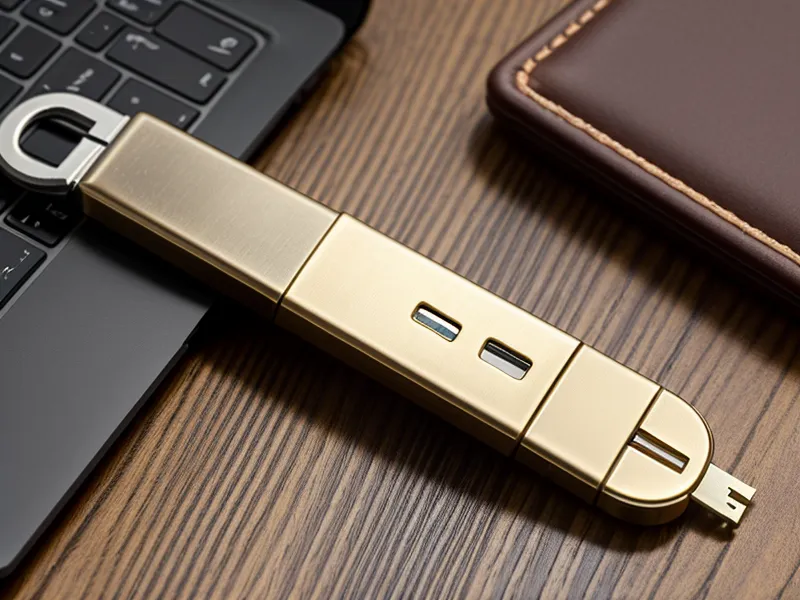
None of this happened overnight. For the first few days after switching, I'd reach for autofill out of habit and get nothing, which felt less like security and more like friction for its own sake. It's a bit like a credit freeze you forgot you set — you don't notice it protecting anything until you're mid-checkout and it stops you cold for a second. That second is the whole point. I clipped a FIDO2 hardware key to my keychain (my partner still thinks it's overkill), and losing a laptop no longer means losing every account tied to it — the vault stays shut without the physical key in hand.
Gemma Tull, who shares a desk block at my coworking space and treats any tool with a renewal date the way most people treat a timeshare pitch, wanted to know why she should pay yearly for something Chrome already does for free. We were walking the Barton Creek Greenbelt between client calls when she asked, and it's a fair question. My answer was the same one I'd give anyone: Chrome's version protects you from forgetting a password. It does nothing for someone else using it.
Once you're managing a household instead of just yourself, the math shifts. RoboForm's family plan covers up to five people, which meant I could get my partner's accounts under the same protection without becoming the designated password nag for both of us — not unlike how DeleteMe prices its own family coverage for four people once you're removing more than one name from broker sites. Scale is where these subscriptions start earning their keep.
Which Tool Actually Protects What?
Migrating the passwords was only half the job. Once I was sure everything had moved over cleanly, I used EaseUS BitWiper to wipe the old browser cache and the drive underneath it, since a cleared history doesn't actually erase what's still sitting in free space — a full wipe is a different, more thorough job than emptying a cache folder, and it's worth doing before you sell or hand off any machine that ever held saved logins. That's a separate task from account security or broker removal, but it closes a gap the other two never touch.
| Service | Best For | Key Privacy Feature | Try It |
|---|---|---|---|
| RoboForm | Power users & Families | 5-user family plan / Best form filling | View RoboForm |
| Proton | Privacy Purists | Swiss-based end-to-end encryption | View Proton |
| DeleteMe | Identity Protection | 4-person family data removal | View DeleteMe |
| Incogni | Budget-conscious removal | Automated broker opt-outs | View Incogni |
Living With RoboForm: What Held Up and What Didn't
RoboForm turned out to be one of the cheaper annual plans of any password manager I compared (a rarity in this category), and its form-fill engine still beats most newer competitors at surviving a genuinely messy checkout flow. The family plan's five-user cap undercuts most of the bigger-name rivals on price once you're covering more than one person. What it doesn't have is a modern interface: the desktop client looks like a holdover from an earlier decade next to something like 1Password, and the mobile app works fine without feeling particularly polished. Neither issue stopped me from trusting it with my actual accounts, but it's worth knowing going in that you're trading interface polish for a form-filling engine that's seen every bad web design decision of the last twenty years.
For the actual security model behind pairing that vault with a hardware key — not just the convenience layer, but the reasoning underneath it — I wrote up the full setup separately in Why RoboForm With a Yubikey is the Best Secure Password Setup. That's the piece to read if you want the mechanics, not just the recommendation.
A password manager solves a narrower problem than most people expect walking in: it protects the vault, not everything upstream of it. If a service you use gets breached, a strong unique password per site limits the damage, but it doesn't undo the breach itself, and no amount of vault encryption re-lists an address that's already sitting on broker sites like Whitepages or Spokeo. Removal services chip away at that separately, and their coverage varies enough between providers that it's worth comparing directly rather than assuming one handles what another does. A VPN solves a third, narrower problem still — it hides your traffic from the network you're sitting on, useful on public Wi-Fi, but it does nothing for data a broker already collected before the VPN was ever switched on.
How My Own Search Looked After Six Weeks
Six weeks after I started treating my accounts and my address as the same problem, I ran my name through Google again, mostly out of habit. Two pages in, nothing — no street address, nowhere. Incogni and DeleteMe had done the broker-side work of getting that information off the public web (I've laid out how those two compare in more detail here: DeleteMe vs Incogni: Which Data Removal Service Actually Works Better?), but the password manager is what keeps the front door itself locked, and that was never a job broker removal was built to do.
Chrome and Safari will keep saving your passwords for free, and for plenty of people that's genuinely fine. But if you're running a business, managing a household's accounts, or you've already put in the work of cleaning up your broker footprint, leaving the last set of keys sitting in browser autofill undoes a chunk of that effort. Start with RoboForm if you want something that just works on every messy site you visit, or Proton if you'd rather fold your password vault into a bigger encrypted stack. Either way, stop leaving a spare key under the mat for anyone patient enough to look for it.